
Configuring API Settings
Connect iMember360 to your Keap account by entering your Service Account credentials.
Prerequisites
Section titled “Prerequisites”Ensure you have already created your Service Account Key in Keap. If not, see Set up Service Account Key.
Configure the API Settings
Section titled “Configure the API Settings”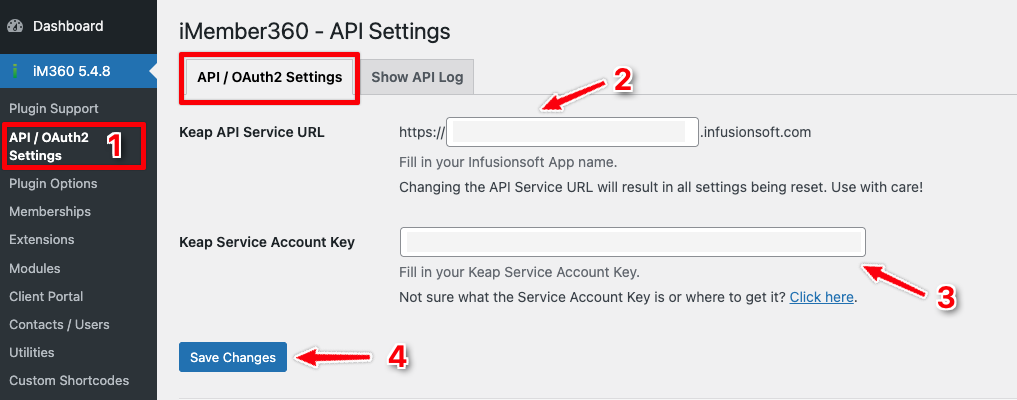
-
Go to iMember360 → API Settings
-
Enter your Application Name – The subdomain portion of your Keap URL (the part between
https://and.infusionsoft.com): -
Enter your Service Account Key – The key you generated in Keap
-
Click Save Changes
Next Steps
Section titled “Next Steps”After connecting to Keap, proceed to set up the password field.