
Beaver Themer Integration
Integrate iMember360 conditionals with Beaver Themer’s conditional logic system and layout rules for advanced AND/OR rule combinations.
Themer Conditional Logic
Section titled “Themer Conditional Logic”Use Beaver Themer conditional logic to control module/column/row visibility with iMember360 conditionals.
-
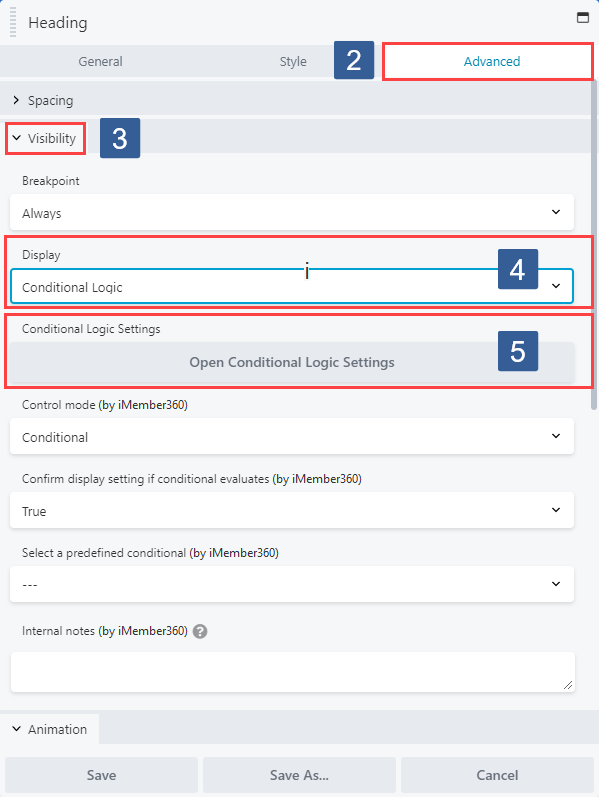
Within the Beaver Builder editor open the module/column/row for editing by clicking the wrench icon.
-
Within the Beaver Builder widget panel select the Advanced tab.
-
Navigate to the Visibility tab and expand it if necessary.
-
Ensure that within the Display drop down Conditional Logic is selected.
-
In the Conditional Logic Settings panel click Open Conditional Logic Settings.
-
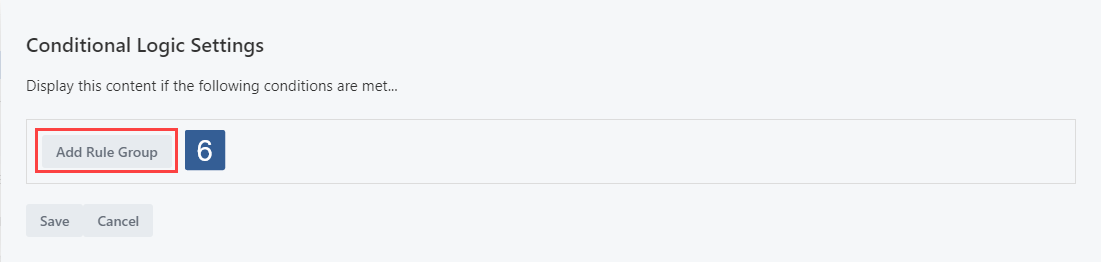
From the Conditional Logic Settings panel select Add Rule Group.
-
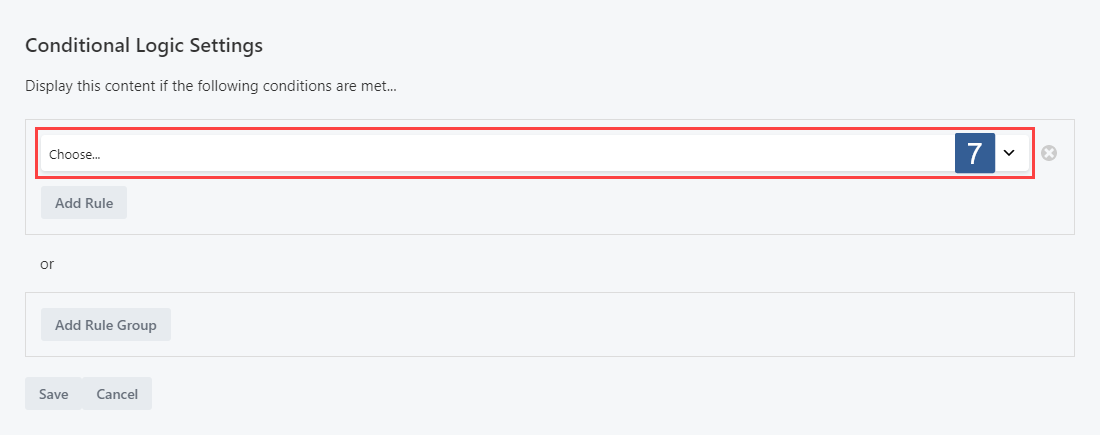
From the Conditional Logic Settings panel Add Rule drop down choose Predefined Conditional.
-
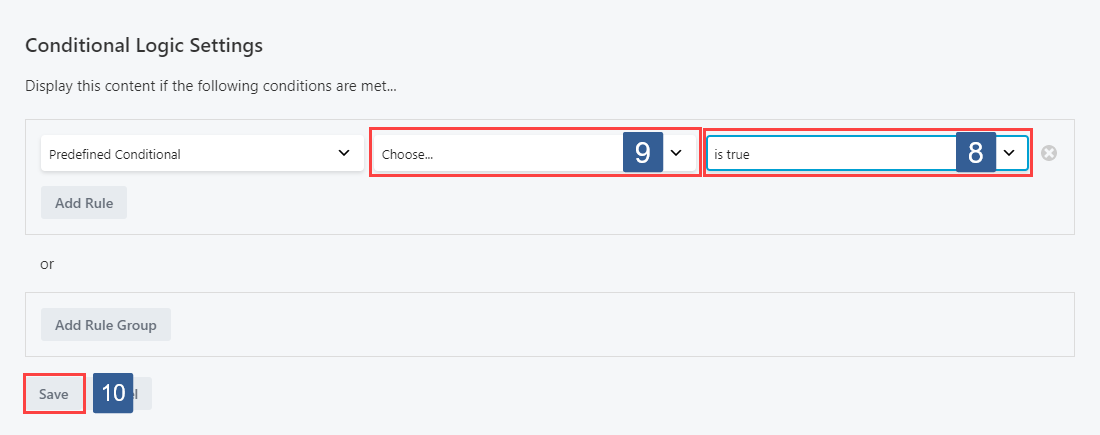
From the Display if the conditional evaluates drop down select whether the conditional needs to evaluate as True or False to display the module/column/row.
-
From the Conditional drop down select the required conditional to be evaluated.
Active conditionals are shown in the drop down with the suffix of (publish).
-
Once the settings have been completed ensure Save is clicked to save the configuration.
Themer Layout Rules
Section titled “Themer Layout Rules”Control Beaver Themer layout display based on iMember360 conditionals.
-
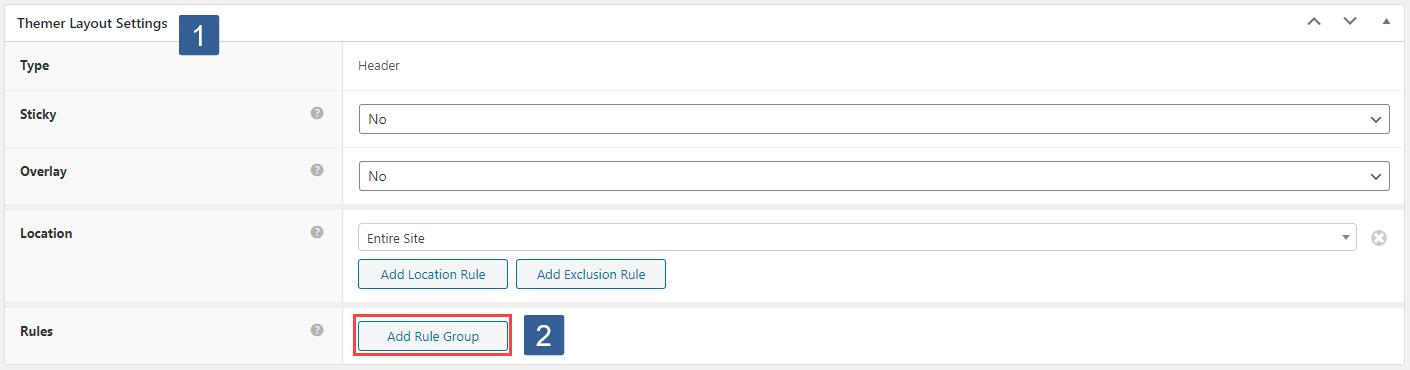
When editing or adding a Beaver Themer Layout locate the Themer Layout Settings panel.
-
From the Themer Layout Settings panel Rules type select Add Rule Group.
-
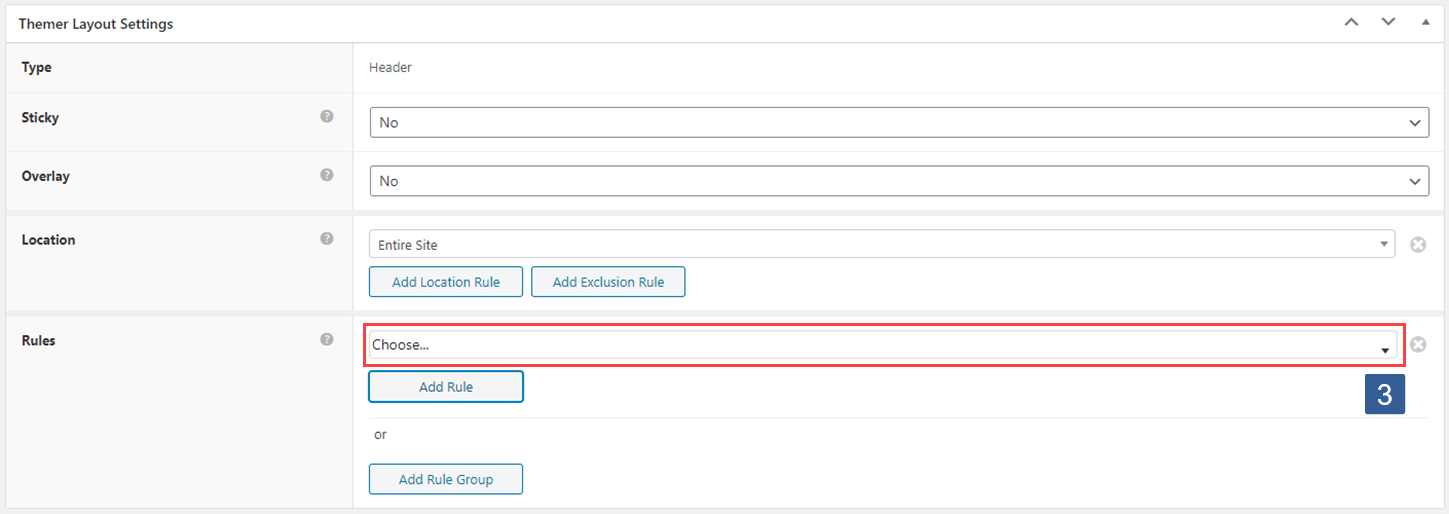
From the Themer Layout Settings panel Rules type, Add Rule drop down choose Predefined Conditional.
-
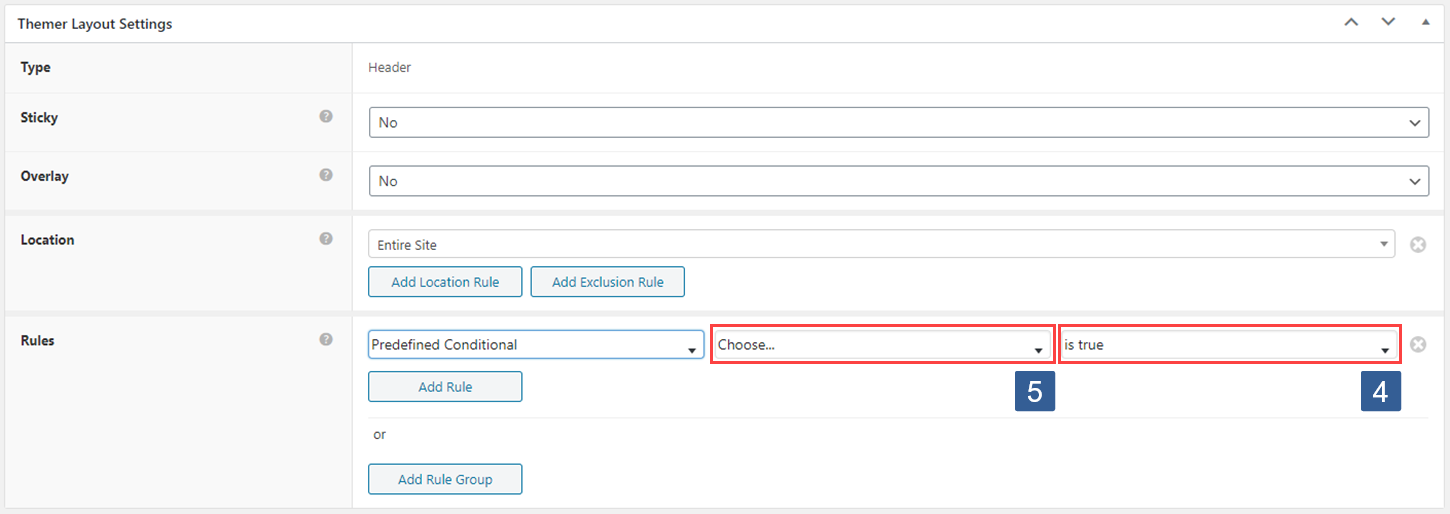
From the Display if the conditional evaluates drop down select whether the conditional needs to evaluate as True or False to display the module/column/row.
-
From the Conditional drop down select the required conditional to be evaluated.
Active conditionals are shown in the drop down with the suffix of (publish).
-
Once the settings have been completed ensure Update is clicked to save the configuration.