Display Examples
Practical examples of how to configure widget, section, and popup visibility for common use cases.
Widget/Section Examples
Section titled “Widget/Section Examples”Example 1
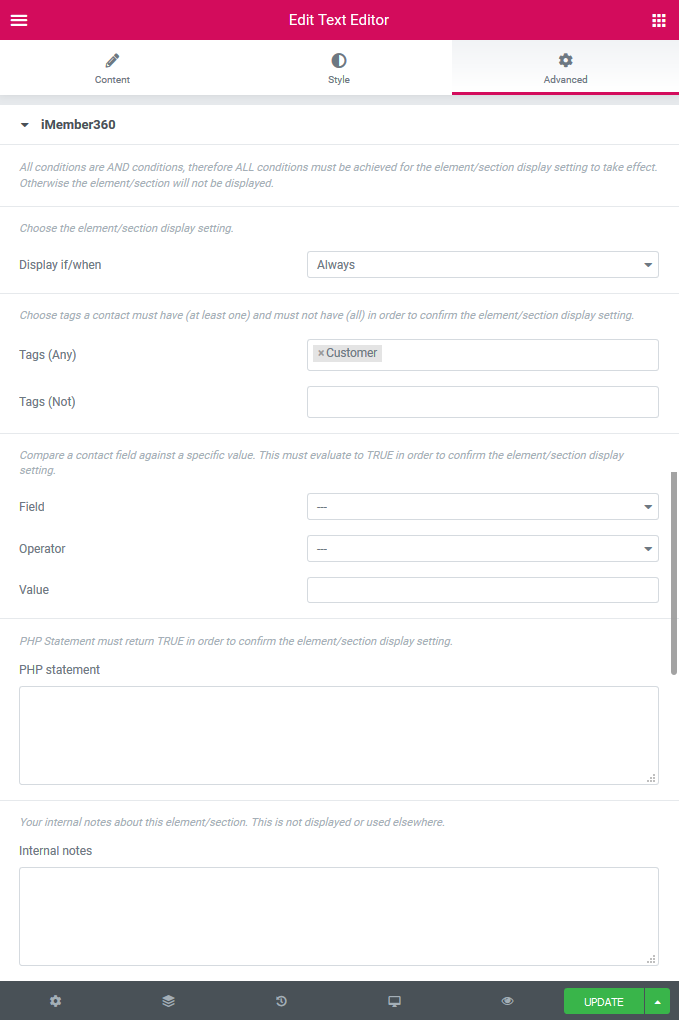
Section titled “Example 1”Always display the element/section if the logged in user has the Keap tag named Customer.
Example 2
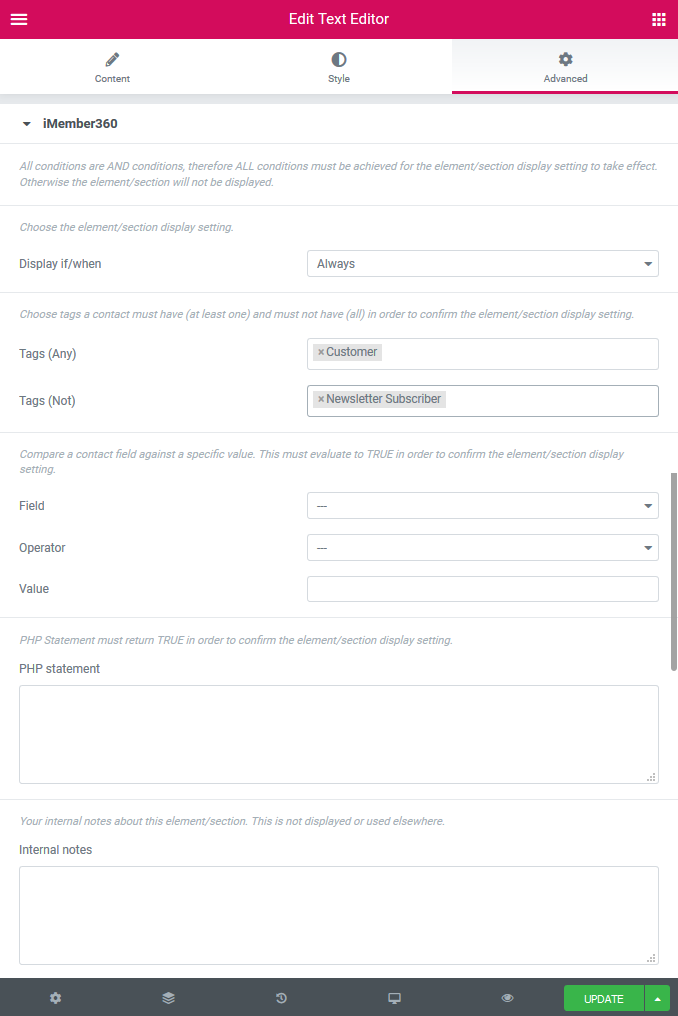
Section titled “Example 2”Always display the element/section if the logged in user has the Keap tag named Customer and does not have the tag named Newsletter Subscriber.
Example 3
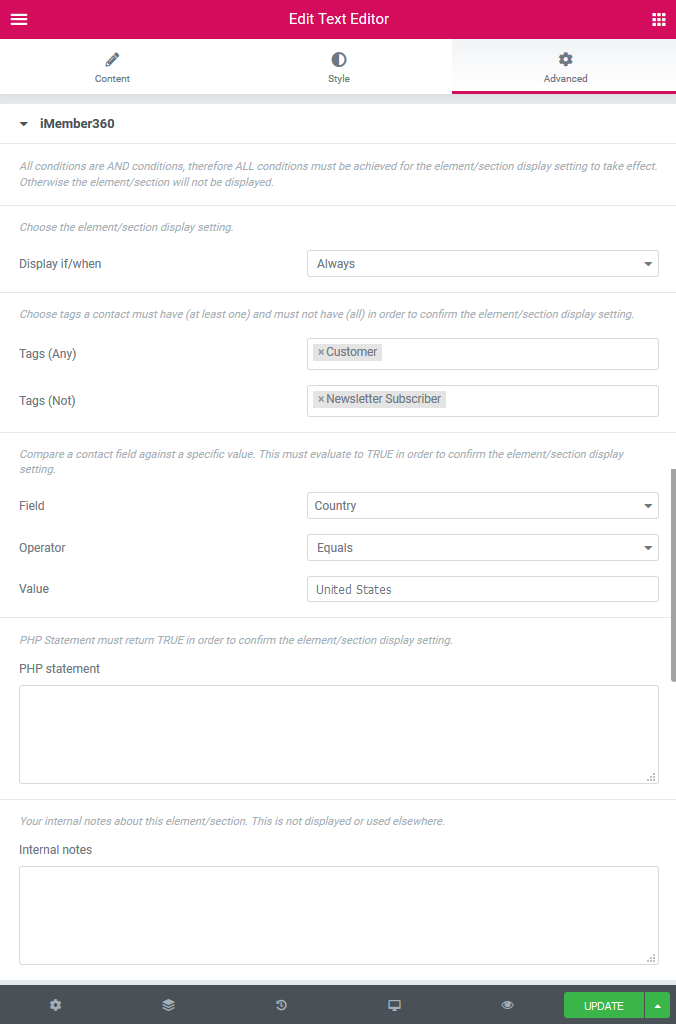
Section titled “Example 3”Always display the element/section if the logged in user has the Keap tag named Customer and does not have the tag named Newsletter Subscriber and the Keap Country contact field is equal to United States.
Example 4
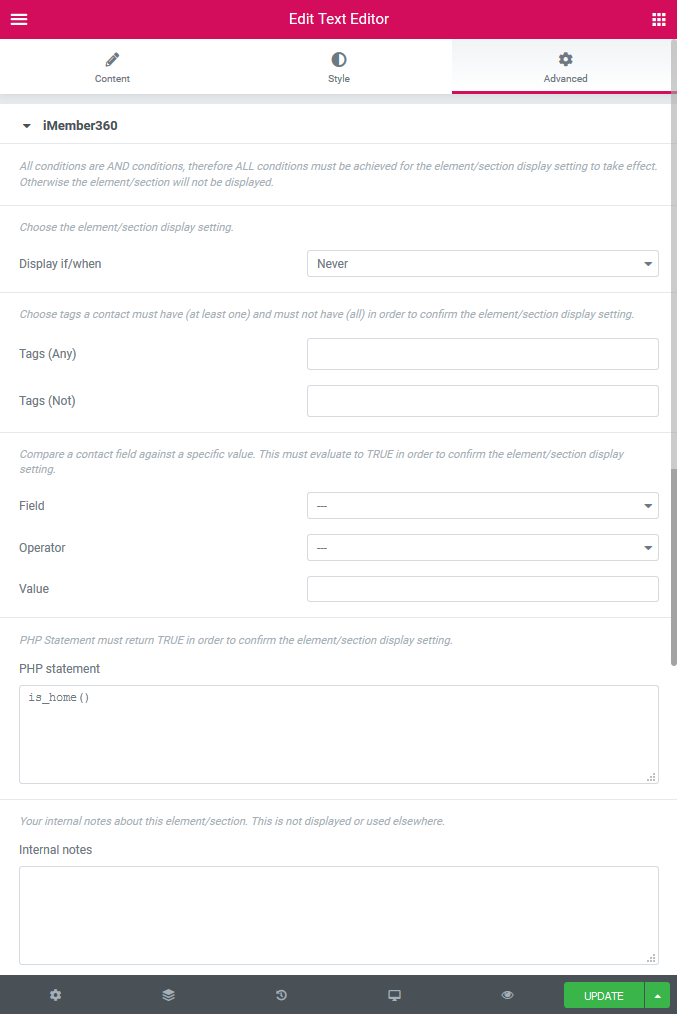
Section titled “Example 4”Never display the element/section if the visitor is viewing the home page.
Example 5
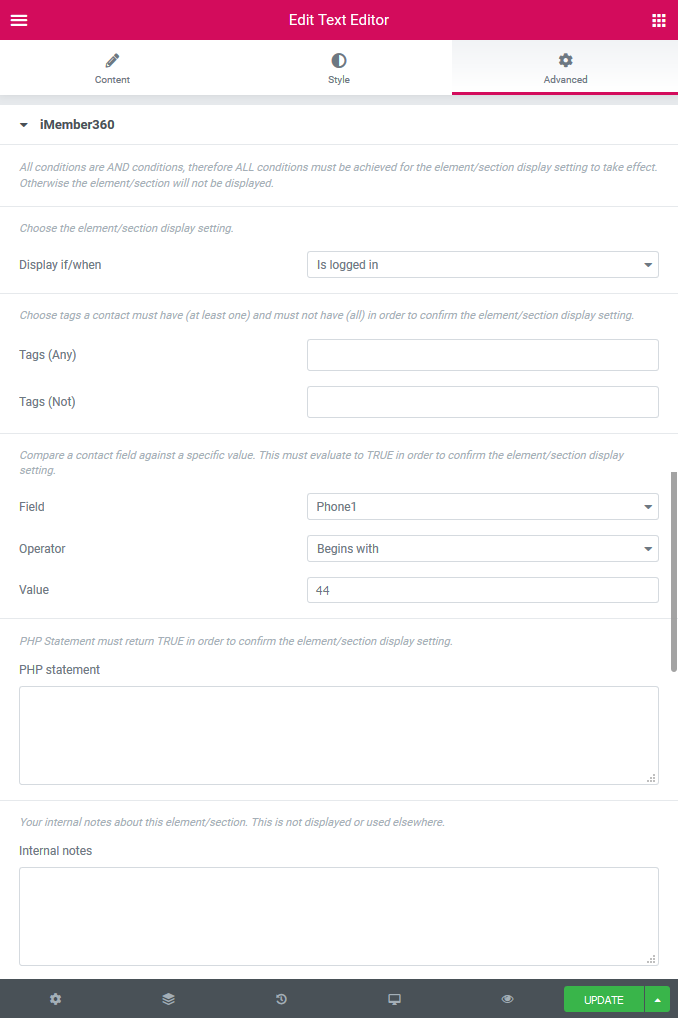
Section titled “Example 5”Always display the element/section to a logged in user and whose Keap Phone1 contact field begins with 44.
Popup Examples
Section titled “Popup Examples”Example 1
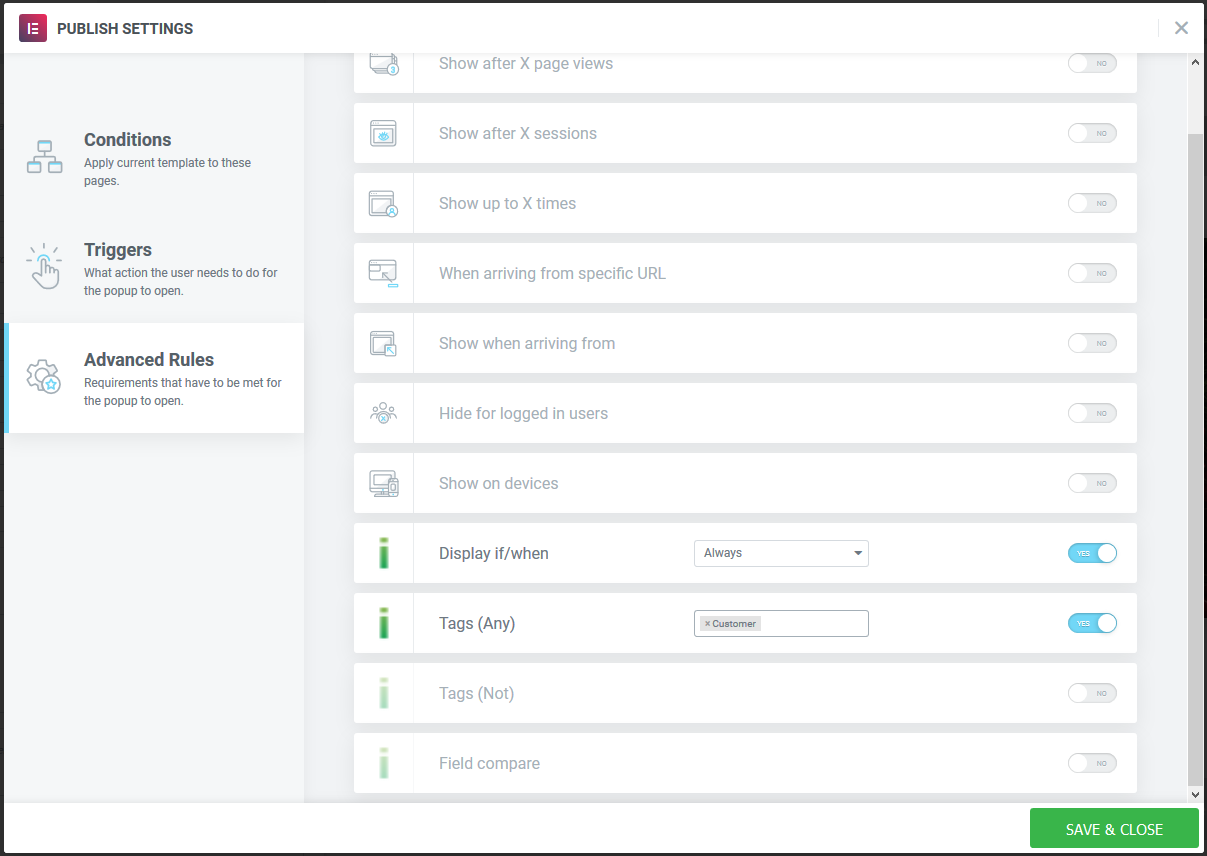
Section titled “Example 1”Always display the popup if the logged in user has the Keap tag named Customer.
Example 2
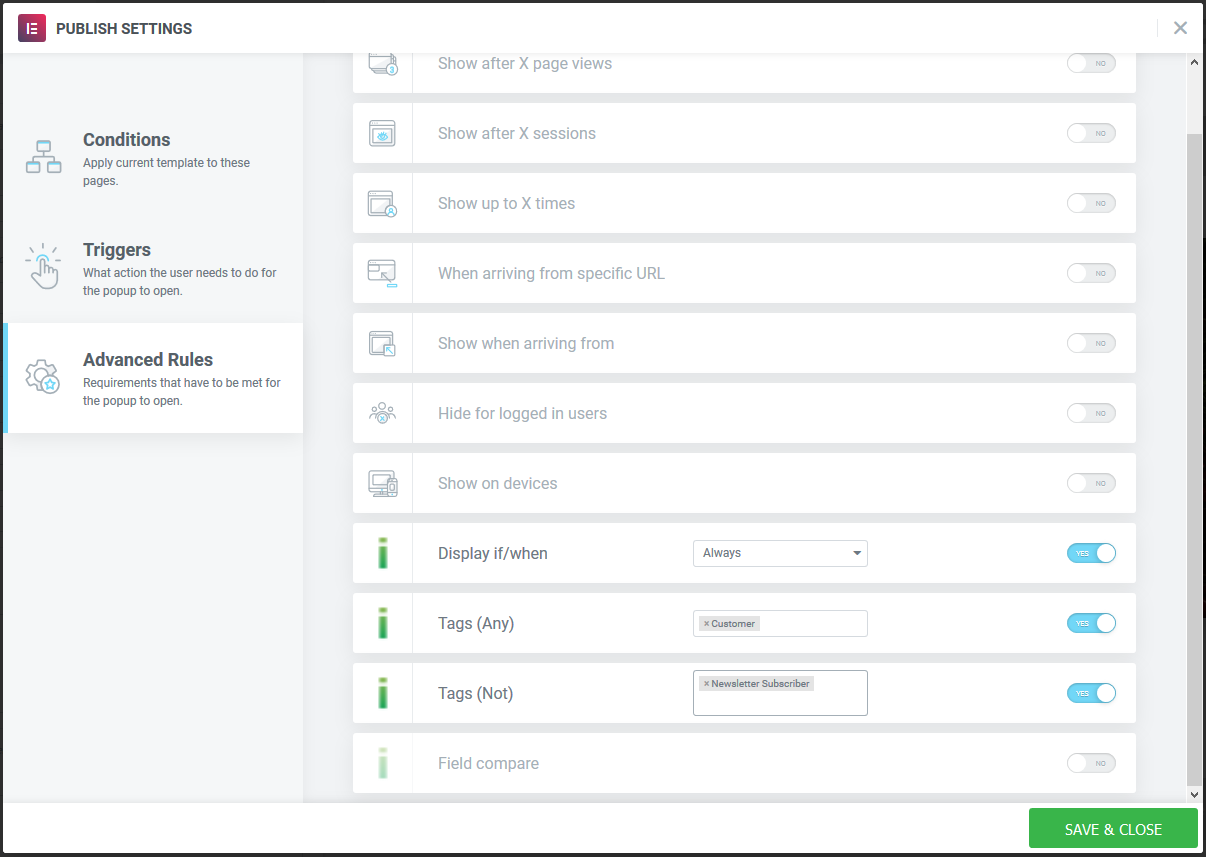
Section titled “Example 2”Always display the popup if the logged in user has the Keap tag named Customer and does not have the tag named Newsletter Subscriber.
Example 3
Section titled “Example 3”Never display the popup if the logged in user has the Keap tag named Customer and does not have the tag named Newsletter Subscriber and the Keap Country contact field is equal to United States.
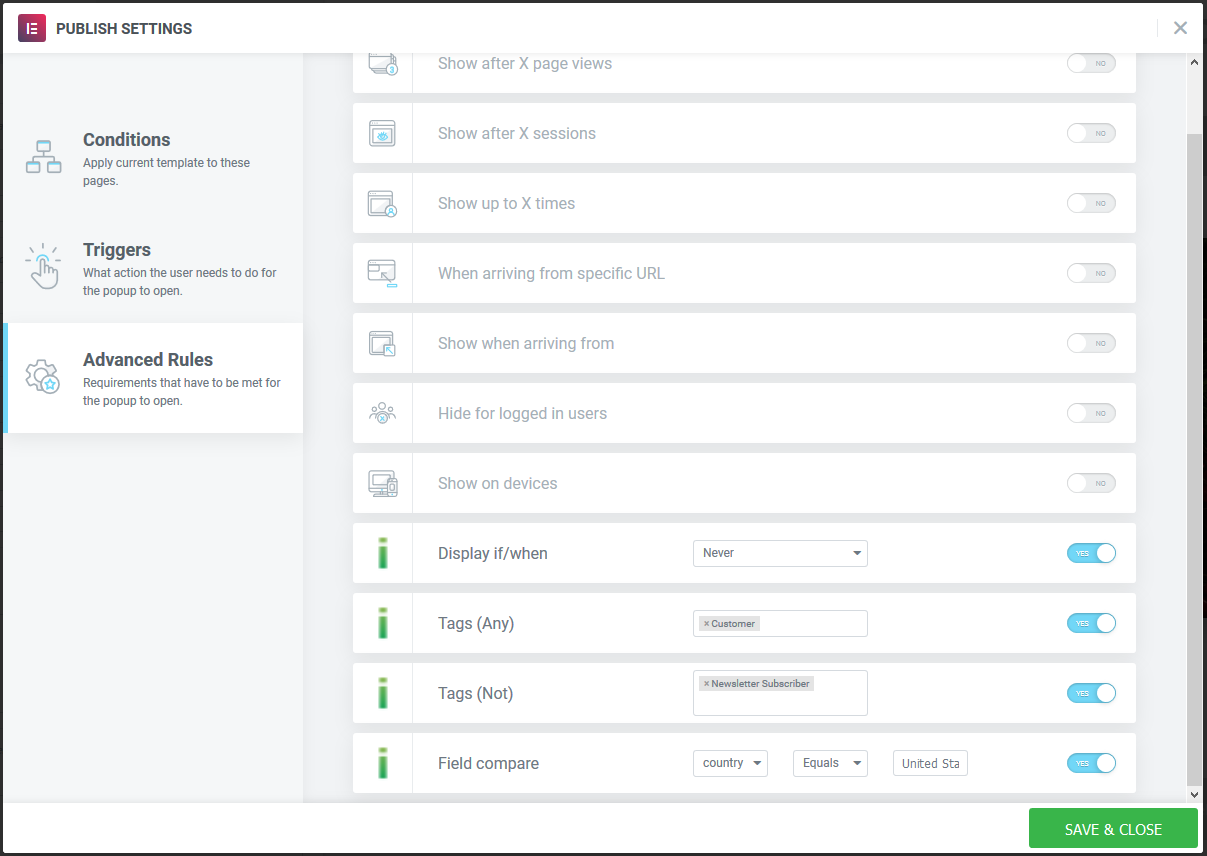
Example 4
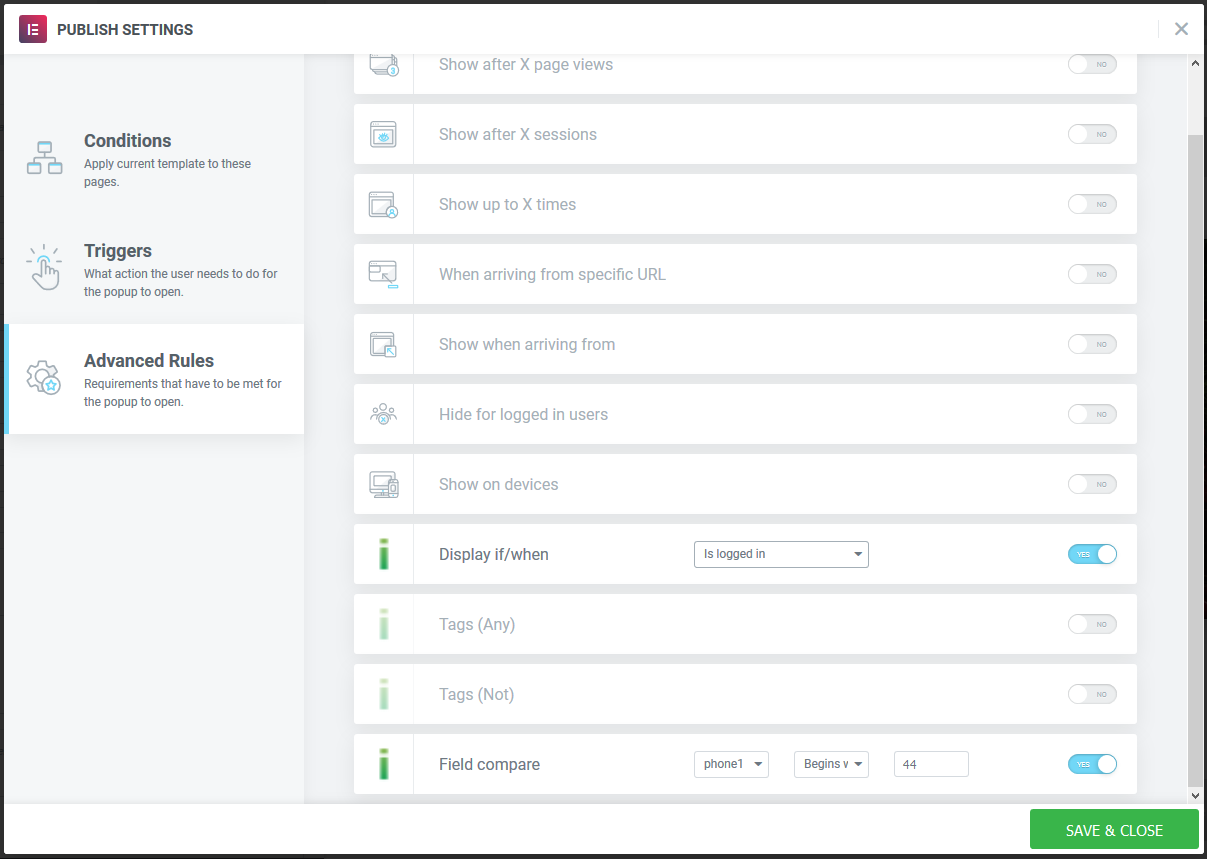
Section titled “Example 4”Always display the popup to a logged in user and whose Keap Phone1 contact field begins with 44.